 info@powatec.com
 +41 41 743 13 20


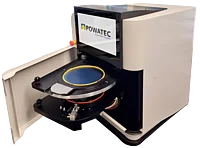
Semi-Automatic Wafer Expander ETA-200
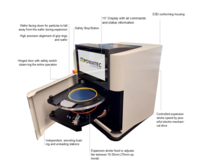
An advanced wafer expansion tool featuring a modular design and face-down orientation of the wafer.
- Non-contact, face-down wafer expansion process
- Motor driven expansion stroke between 10-30 mm (up to 70 mm optional)
- Independent, swiveling stations with dedicated loading and unloading positions
- Modular design allows the tool to support 6" or 8" frames and corresponding grip rings
- Various options available a-la-carte or as part of the Basic/Advanced/Master configurations
Wafer size: 2" to 8"
Frame size: 6" DTF 2-6-1, K&S / 8" DTF 2-8-1 K&S
Expansion Range: 10mm - 30mm
Foil thickness: 150 µm (maximum)
Power supply: 110 - 240 VAC
Air pressure: 5.5 - 6 bar
Clean room application: up to ISO 4
Certification: CE Certified, SEMI S2 & S8 Compliant, IEC 204-1 safety standards
ETA-200 BASIC Configuration
W x D x H: 400 x 400 x 400 mm
Weight: 42 kg
ETA-200 ADVANCED Configuration
W x D x H: 400 x 400 x 400 mm
Weight: 50 kg
ETA-200 MASTER Configuration
W x D x H: 520 x 620 x 770 mm
Weight: 55 kg
Fully automated (motor driven) expansion of 6” or 8” wafers on Grip/Hoop Rings at an automatically adjustable expansion stroke of 10-30mm (optionally up to 70mm). The device operates with the wafer facing down to ensure particles falling away from the wafer during the expansion process. The device is optimized to offer a variety of automated options including recipe selection, speed adjustments, log files, thus allowing operators to control the process for various applications on the highest performance level.
Process Steps
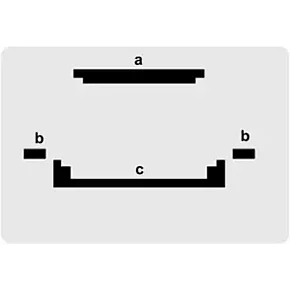
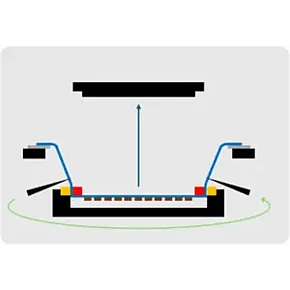
a - Expansion stroke stamp
b - Frame support
c - Outer grip ring support
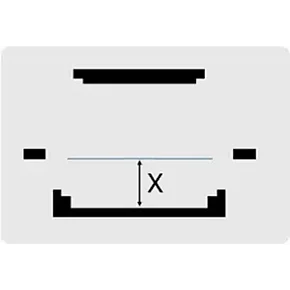
The outer grip ring support is manually or automatically adjusted to the desired expansion stroke X
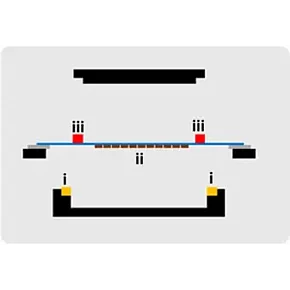
i. Place out grip ring (yellow) on outer grip ring support
ii. Place diced wafer facing down (brown: diced wafer, blue: tape, grey: frame) on frame support for particle to fall down
iii. Place inner grip ring (red) on tape
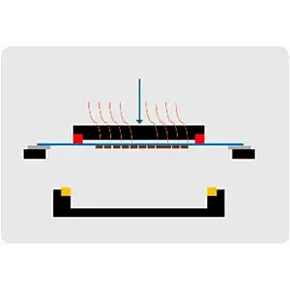
Press start button
In case of heated option, the expansion stroke stamp approaches the tape and is pre-heating the tape
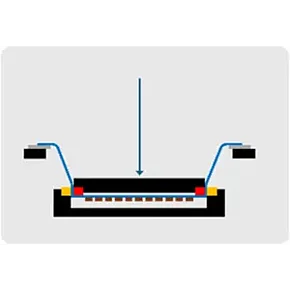
The expansion stroke stamp expands the tape automatically till both grip rings are fully clamped together
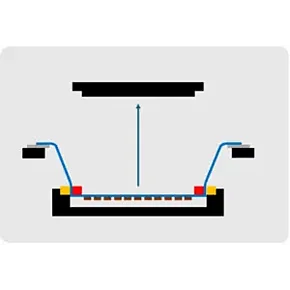
After expanding, the expansion stroke stamp lifts automatically
The outer grip ring support lifts as well slightly to relax the tape portion between the grip ring and the frame
In case of tape cutting option, the tape is cut out around the grip ring manually or automatic (optional)
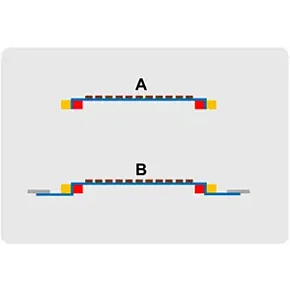
The result is either:
A. An expanded wafer on grip ring if the tape is cut around the grip ring (option)
B. An expanded wafer on grip ring and frame if the tape is not cut around the grip ring
Options
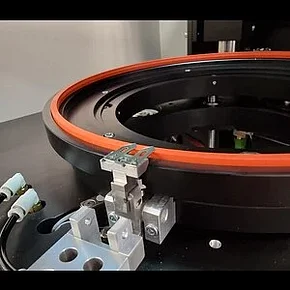
Automated Tape Cutting
This option will automatically cut the tape along the grip ring, post expansion.
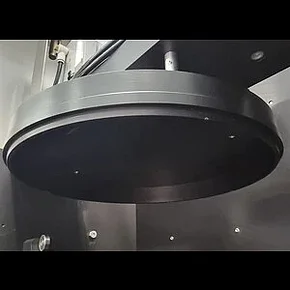
Heated expansion head
In case the tape needs to be pre-heated and heated during expansion, this option allows for heating temperatures up to 80°C (setting in single digits) and an adjustable pre-heating time of the tape of 1-10 seconds, all selectable on the 10” display and able to be saved as recipe.
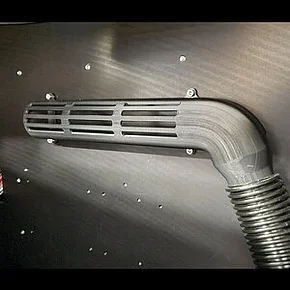
Particle Exhaust System
This option vacuums the process chamber and thus removes particles falling down from the wafer during the expansion process
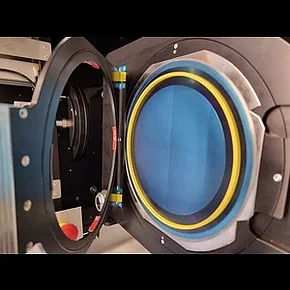
Adapter kit for different frame size or grip ring size
For each different combination of frame and grip ring size an adapter kit is required. One adapter kit is included in the bare configuration. See next section for the different combinations.
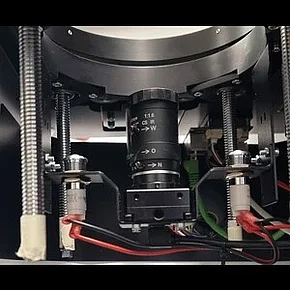
HD camera
With the HD camera it is possible to take pictures of the expansion result (only a part of the wafer) and log the result of the expansion lanes as a picture for result traceability.
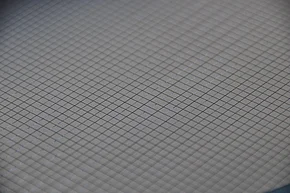
Extended stroke up to 70mm
In case needed the device can be extended to operate up to 70mm expansion stroke. Note that above 30mm expansion, only designated tapes can be expanded.

Bar code scanner
It is possible to connect a bar code scanner to the Expander for traceability.
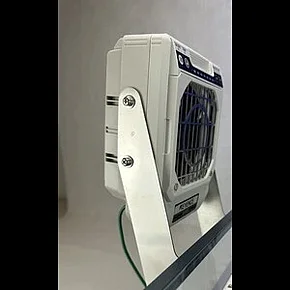
ESD ionizing unit
This option reduces static charges during loading, unloading and expansion by circulating ionized air in the process chamber.

ETA Configurations
The ETA-Series devices are available in three possible standard configurations: BASIC, ADVANCED, and MASTER. The table below provides an overview of which options are included in each configuration, and which additional options may or may not be supported.
Contact us
Related Products

Manual Wafer Mounter P-200
Suitable to mount wafers/frames up to Φ8" with tape

Semi-Automatic Vacuum Wafer Mounter V-200
Suitable for wafers/frames up to Φ8"
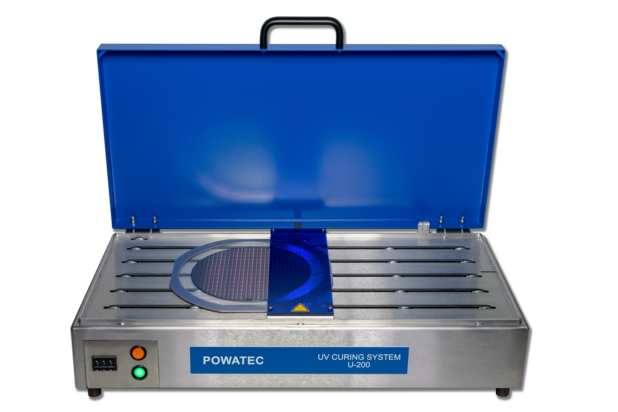
Standard UV Curing System U-200
Suitable for wafers/frames up to Φ8"